RASPBERRY Pi ZERO 2W running nginx WEB SERVER
This procedure shows how to turn a Raspberry Pi Zero 2W into a web server to host your own website. After installing the operating system, you need to install the nginx web server. As an operating system, I recommend to install DietPi OS with SSH enabled. Since there's no desktop interface, you can connect to the Pi Zero using PuTTY software. On YouTube you can find lot of video about installing the operating system using the Raspberry Pi Imager software. If you want to create your own web server, follow these instructions.
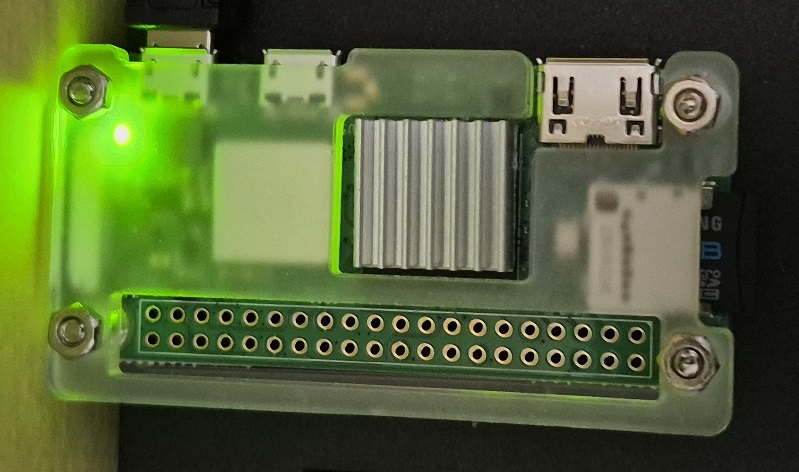
Raspberry Pi Zero 2W running nginx web server
UPDATE THE SYSTEM
sudo apt updatesudo apt upgrade -y
sudo reboot
INSTALL NGINX
sudo apt install nginx -ySTART THE SERVER
sudo systemctl start nginxENABLE NGINX TO BOOT
sudo systemctl enable nginxENABLE WRITING PERMISSIONS
sudo usermod -aG www-data $USERsudo chown -R $USER:www-data /var/www/html
sudo chmod -R 775 /var/www/html
sudo systemctl restart nginx
OPTIMIZE PI ZERO
sudo nano /etc/nginx/nginx.confworker_processes 1 //chenge the value of worker_processes to 1
VERIFY NGINX
sudo systemctl status nginx //in the row "Active" you should read in green "active (running)".Now your web server is ready to host your website. Copy your html files into the folder /var/www/html. I use WinSCP to transfer files from PC to the web server.
(((( 📡 IZ0GIF 📡 ))))